
The search for Square Up alternatives often starts with one realization: your business has outgrown a one-size-fits-all system. While Square is an entry point for many businesses, its simplicity can become a roadblock for retailers with specialized inventory, unique sales cycles, or the need for more predictable transaction fees.
This isn’t about ditching a system; it’s a move to find a tool that fits your business, not forcing your business to fit the tool.
Why Businesses Look Beyond Square
For many small businesses, Square is their first taste of retail technology. It’s a package that handles payments, basic inventory, and sales tracking. But as a business matures or carves out a niche, the cracks in a generalist platform start to show. The hunt for a new POS usually kicks off the moment a business owner realizes they’re spending more time on workarounds than on work.
This is a story we hear from retailers in verticals like beer distribution, fireworks sales, or pet supply stores. These industries have needs that a standard POS system was not built to handle.
Take a look at Square’s homepage—it does a job of showing its appeal to all kinds of businesses, from cafes to boutiques.
This visual shows Square’s core strength: it’s a versatile, do-it-all platform. But that strength is why specialized businesses eventually need a more focused alternative.
Identifying the Triggers for Change
The move away from Square is rarely prompted by a minor feature. It’s usually driven by operational gaps that are starting to hit the bottom line.
The decision to switch POS systems is often a response to operational friction. When a system designed for simplicity can no longer handle your business’s complexity, it’s time to find one that can.
This friction tends to pop up in a few areas:
- Inventory Complexity: If you deal with multi-package items (like cases, 12-packs, and six-packs of beer) or manage a large number of SKUs, Square’s inventory tools can feel restrictive.
- Predictable Costs: Square’s flat-rate processing is easy to understand, but it can get expensive for businesses with high sales volumes or larger average ticket sizes. A more traditional merchant services model often makes more sense.
- Customer Support: As your operation gets more complex, you cannot afford to wait in a queue for support. You need responsive, knowledgeable help, especially when things go wrong during your busy season.
- Scalable Features: A growing business needs more than the basics. Advanced reporting, multi-location management, or specific third-party integrations might be missing or only available as add-ons in the Square ecosystem.
There’s no denying Square is a giant, processing around $210 billion in gross payment volume for its roughly 4 million merchants. Still, the North American POS market is valued at $38.67 billion and growing, which tells you there’s a demand for platforms that offer more flexibility and specialization. You can dive deeper into these market dynamics over at CoinLaw.io.
A Side-by-Side Look at Core POS Features
When you start looking at alternatives to Square Up, you have to go deeper than a feature checklist. Your point of sale system is the nerve center of your business. How it handles the daily grind of inventory, payments, reporting, and online sales dictates how efficiently you can operate.
This isn’t about surface-level promises. We’re going to break down the real-world differences in how Square and its competitors tackle these functions. The goal isn’t just to see what a system can do, but how it does it—and if that “how” fits the way you need to work.
There are usually a few reasons why a business owner starts looking for something other than Square. It often boils down to needing more specialized tools, predictable processing rates, or better support when something goes wrong.
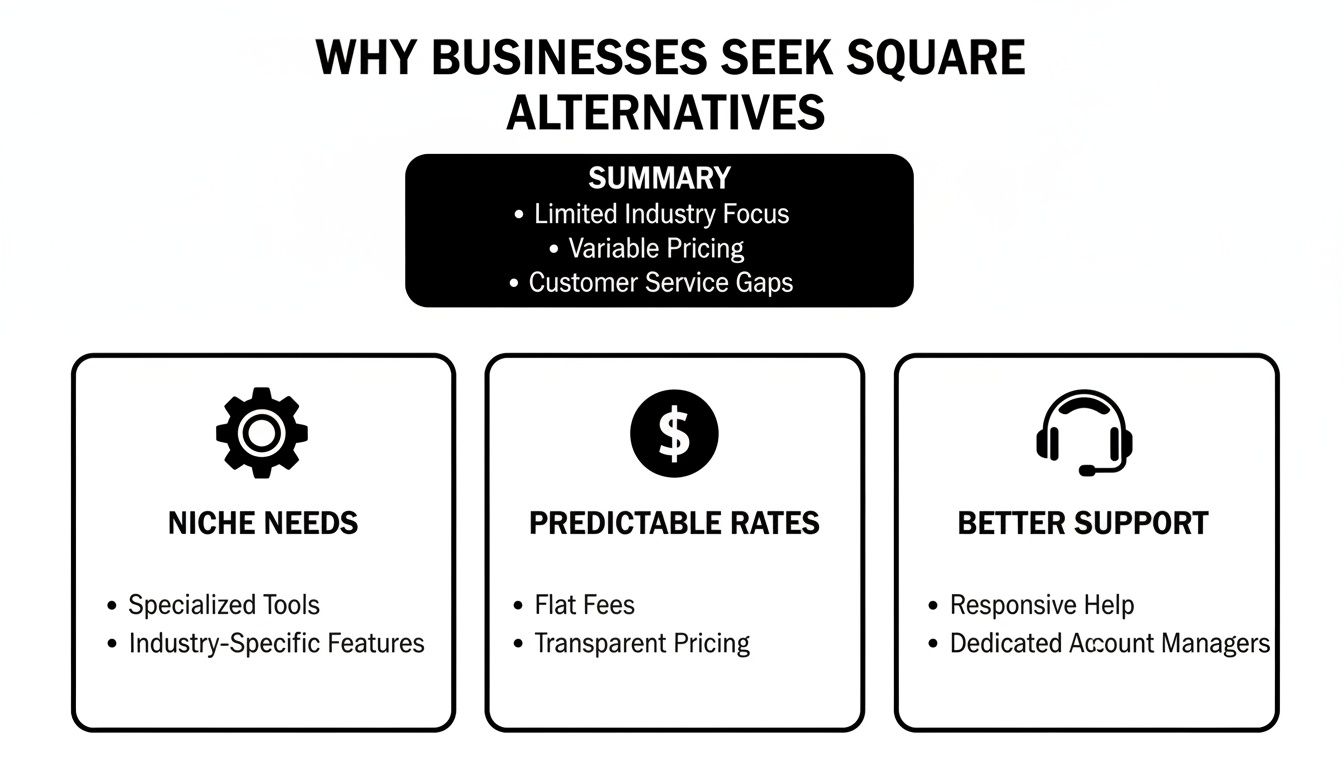
As you can see, the search for a new POS is often a push for a system that gets the workflow of an industry, offers clearer fee structures, and provides direct, reliable help when it’s needed most.
Inventory Management Capabilities
Inventory is where the gap between a generalist like Square and a specialized system shows. Square’s system is solid for businesses with simple product catalogs. It tracks stock, sends low-stock alerts, and handles basic SKUs just fine for a lot of shops.
But if your inventory is complex, you’ll feel the constraints fast. Take a beer distributor, for example. They have to track one beer as a case, a 12-pack, a six-pack, and a single can. Square was not built for that kind of multi-package inventory, forcing you into manual workarounds that eat up time and invite mistakes.
Specialty alternatives are designed to handle this stuff right out of the box.
- Multi-Package Tracking: Systems like Pomodo let you sell one inventory item in multiple ways. Selling a six-pack automatically and accurately depletes the right number of single units from your master stock. No guesswork needed.
- Supplier and Purchase Order Management: You’ll often find more robust tools for managing your suppliers, creating purchase orders, and receiving stock—all critical for retailers juggling a large and diverse product list.
- Advanced Categorization: Deeper category structures help organize thousands of SKUs, making your reports and stock counts more accurate.
For any business managing tricky product lines, a powerful inventory system isn’t just nice to have; it’s a must. You can dive deeper into how effective POS inventory management can transform your operations.
Flexibility in Payment Processing
Square’s all-in-one payment processing is what it’s known for. The model is simple: a flat rate for every transaction, built right into the system. For a new business, this is appealing because you don’t have to deal with finding and negotiating with third-party merchant services.
That simplicity, however, can come with a higher price tag. If you have high sales volume or a larger average ticket size, a flat-rate fee can end up costing you more than an interchange-plus model. Many alternatives to Square give you the freedom to choose your own payment processor.
The ability to select your own payment processor or access different pricing models is a key financial differentiator. It allows a business to align its transaction costs with its specific sales profile, potentially saving thousands of dollars annually.
Separating your POS software from payment processing puts you back in control of your costs. You can shop around for the best rates and find a provider whose fee structure makes sense for your sales patterns. While it might take a bit more setup initially, the long-term savings can be huge. For instance, a business processing $50,000 a month could see a difference between a flat 2.6% + 10¢ rate and a well-negotiated interchange-plus rate.
Reporting and Analytics Depth
Data leads to decisions, and your POS is your primary source of that data. Square offers a set of reports covering sales trends, top-selling items, and employee activity. The dashboards give you a high-level snapshot of your business’s health.
The need for something more powerful usually kicks in when a business needs to dig deeper. A multi-location pet store, for instance, needs to analyze sales not just by item, but by supplier, category, and location—all at the same time. They might also want to track customer purchase histories to identify their best shoppers or run a loyalty program.
Specialized POS systems typically come with more powerful reporting engines.
- Customizable Reports: The ability to filter and sort using different data points gives you insights tailored to your specific questions.
- Customer-Centric Analytics: Reporting that connects sales data directly to customer profiles helps you understand buying habits and makes your marketing efforts smarter.
- Multi-Location Consolidation: Alternatives often shine at pulling data from multiple stores into one clean, consolidated view, which is essential for any chain retailer.
This level of detail lets you shift from being reactive to proactive, spotting trends and fixing issues before they hit your bottom line.
POS Solutions for Niche Retail Verticals
A general-purpose point-of-sale system works just fine… until it doesn’t. For most standard retail shops, it gets the job done. But if you’re in a niche business, that one-size-fits-all approach starts to create friction. Suddenly, you’re leaning on manual workarounds that slow things down and open the door for mistakes. The hunt for Square Up alternatives usually kicks off the moment that friction becomes an operational headache.
Certain industries just have demands that a generic system can’t handle. Let’s dig into three very different retail worlds—beer distributors, fireworks stores, and pet stores—to see just how different their needs are and why a specialized POS isn’t a luxury, but a core tool for staying efficient and growing.
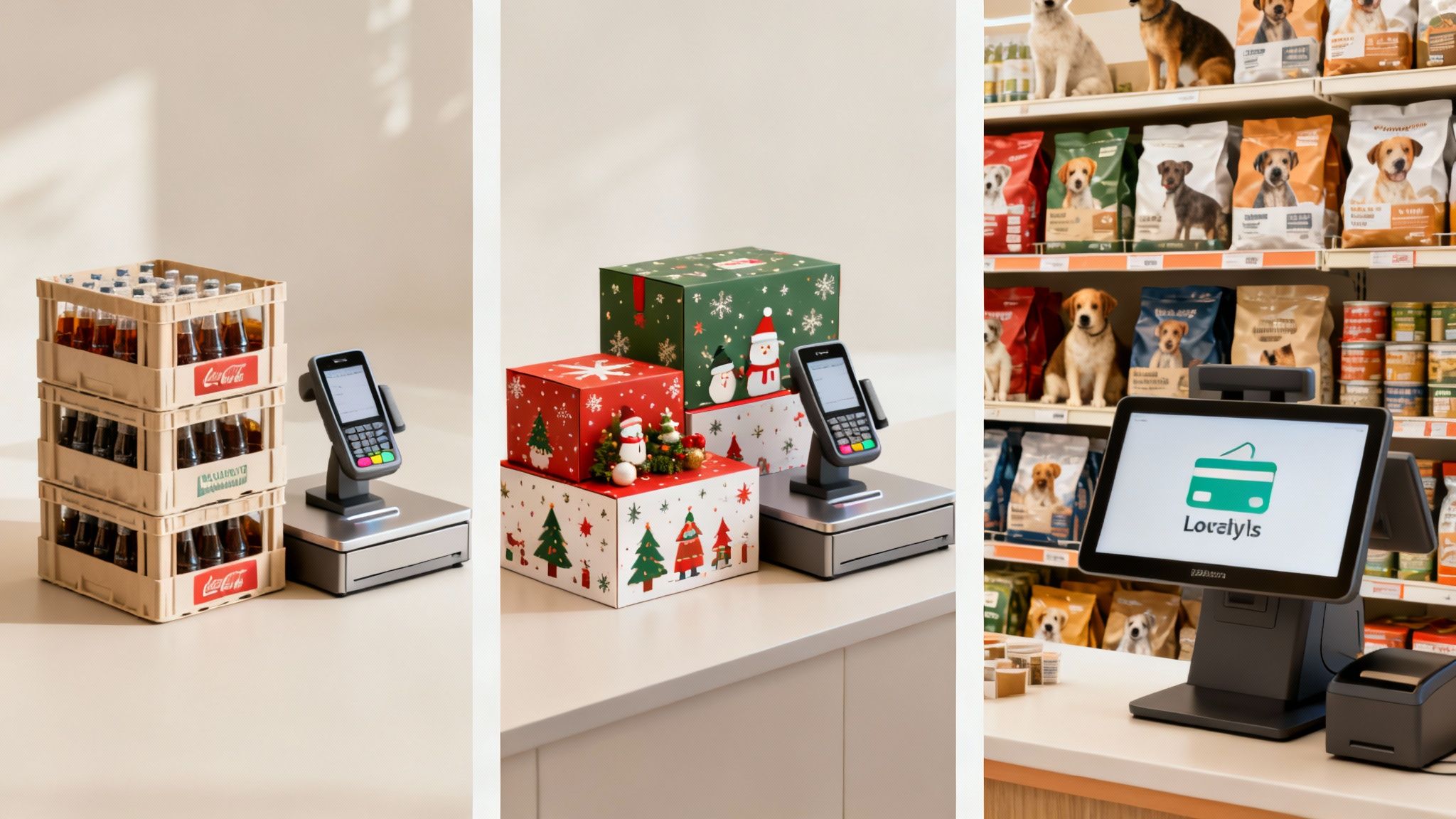
Beer Distributors: The Multi-Package Inventory Challenge
For any beer distributor or bottle shop, the biggest headache is almost always inventory. Think about a popular IPA. It exists on your shelf as a keg, a case of 24, a 12-pack, a six-pack, and a single can—all at the same time. A standard POS like Square tracks inventory with a simple one-to-one SKU.
This limitation forces you into messy workarounds. You could create different SKUs for each package size, but then the inventory isn’t connected. Selling a six-pack doesn’t automatically tell the system you have six fewer cans from that case. This leads to inaccurate stock levels and a nightmare of manual reconciliation.
A specialized POS built for this world solves the problem from the ground up.
- Parent-Child Inventory: These systems let you link a “parent” item (the single can) to multiple “child” packages (the six-pack, 12-pack, case).
- Automated Depletion: When a case is sold, the system instantly deducts 24 single units from your total inventory. Your stock levels stay accurate, no matter how the product walks out the door.
- Compliance Reporting: Many distributors also have to deal with complex state and local reporting for alcohol sales. A purpose-built system can generate these reports automatically, saving you hours of paperwork.
For a beer distributor, this isn’t just a nice-to-have feature; it’s fundamental. Without it, you’re constantly fighting to manage purchase orders, prevent stockouts of popular brands, and keep your financial records straight.
Fireworks Retailers: Managing Seasonal Surges
The fireworks business is all about seasonality. A store might do 80% or more of its yearly business in just a couple of weeks before a big holiday. During that rush, the only thing that matters is speed. Long checkout lines mean lost sales as frustrated customers walk away.
A generic POS can easily buckle under that kind of transaction volume. On top of that, fireworks sales have strict compliance rules, like mandatory age verification or quantity limits on certain items.
A fireworks POS has to be a high-performance engine built for rapid-fire transactions, not a jack-of-all-trades tool. Every second you save at checkout during the July rush translates directly into more revenue and happier customers.
A system designed for this environment is all about two things:
- Rapid Checkout Workflow: Specialized systems are built for speed with barcode scanning, simple touch screens, and streamlined payment flows to process sales in seconds. The interface is dead simple, so even seasonal staff can get up to speed in minutes.
- Built-in Compliance: Instead of forcing cashiers to memorize complicated rules, the POS enforces them. It can trigger an age verification prompt when a restricted item is scanned or automatically flag a sale that goes over the legal quantity limit.
This takes the compliance burden off your employees and protects your business from hefty fines or legal trouble. The ability to handle a massive volume of sales quickly and correctly is what separates a chaotic season from a successful one.
Pet Stores: Juggling Diverse SKUs and Customer Loyalty
Pet stores are in a tough, competitive market. Success often boils down to two things: managing a massive, diverse inventory and building relationships with repeat customers. A single store might carry thousands of SKUs from hundreds of suppliers, from giant bags of dog food to tiny chew toys.
A standard POS can really struggle with this complexity. It’s tough to track inventory by supplier, manage product attributes like flavor or size, and analyze sales trends across thousands of different items. More importantly, customer loyalty is everything, and basic POS systems just don’t have the tools to run a loyalty program that works.
A dedicated pet store POS offers more firepower.
- Supplier Management: The system can track every product by its supplier, making it easier to manage purchase orders, see which brands are selling, and identify your top performers.
- SKU Complexity: It’s designed to handle multiple different types of products.
- Customer Purchase History: This is the key. The POS tracks every customer’s complete purchase history. That data is gold for personalized marketing and loyalty programs. A cashier can instantly see a customer’s favorite food brand, suggest a new treat they might like, and apply loyalty rewards right at the checkout.
This focus on data helps pet stores run more efficiently and build the kind of lasting customer relationships that keep people coming back.
The POS market shows how alternatives can thrive by focusing on these specializations. In the U.S. POS terminals market, merchants who use mobile units—a hallmark of modern, flexible systems—report 23% higher satisfaction and see 15% larger average tickets than those stuck with only countertop setups. Pomodo Software tackles these specialized needs head-on with solutions like BeerModo for distributors and dedicated platforms for fireworks and pet retailers, proving how a targeted approach fills the gaps left by generalist providers. You can learn more about the trends shaping the POS market here.
Evaluating the Total Cost of Ownership
That advertised monthly fee for a point-of-sale system? It’s just the tip of the iceberg. To get a handle on what you’ll be spending, you need to look at the total cost of ownership. This means factoring in everything: hardware, software, payment processing, and any support fees. It’s the only way to make a fair comparison between an all-in-one model like Square’s and the more à la carte pricing you’ll find with many Square Up alternatives.
An integrated system bundles these costs for the sake of simplicity. A modular approach, on the other hand, lets you pick and pay for only the specific components you need. How you approach this choice will have a huge impact on your investment down the road.
Deconstructing POS System Costs
The total cost goes way beyond the sticker price. Four distinct areas contribute to your overall expense, and getting a grip on each one is crucial for making a smart financial decision.
Each piece has its own cost structure, and it can vary wildly between providers.
- Hardware Costs: This is your physical gear—terminals, receipt printers, cash drawers, and barcode scanners. Some providers lock you into their proprietary hardware, while others give you the flexibility to use compatible devices you might already own.
- Software Fees: Think of this as your subscription, usually paid monthly or annually, to use the POS software itself. These costs can creep up as you add more registers, open new locations, or unlock more advanced features.
- Payment Processing: These are the fees you pay on every single credit or debit card transaction. For most retail businesses, this quickly becomes the largest ongoing expense.
- Support and Maintenance: Some companies roll support into their subscription fee. Others will charge extra for premium help or after-hours assistance when you need it most.
Breaking it down like this clarifies exactly where your money is going and shines a light on where you might be able to save.
The Impact of Transaction Fees on Your Bottom Line
Payment processing is a massive piece of the total cost puzzle. Square is known for its predictable flat-rate model: a set percentage plus a small fixed fee for every transaction. It’s straightforward for new businesses, but it can get expensive as your sales volume picks up.
Many alternatives open the door to different pricing models, like interchange-plus. This structure is more transparent, breaking down the cost into the non-negotiable interchange fee (set by Visa, Mastercard, etc.), a small card brand assessment, and a fixed markup from the processor. For businesses with high sales volume or a large average ticket size, interchange-plus almost always works out to be cheaper.
Let’s put it in real terms. A business processing $75,000 a month could see substantial savings with an interchange-plus rate compared to a flat-rate plan. Even a difference of a fraction of a percentage point adds up to a lot of money over the course of a year. You can dive deeper into the mechanics of how to accept credit cards to better understand these models.
Ultimately, the right choice boils down to your business’s sales profile. A low-volume shop might prefer the simplicity of a flat rate. But a high-volume retailer will almost certainly find better value—and keep more of their money—with a more transparent, interchange-based structure.
Switching your point of sale system is a big deal, but it doesn’t have to turn your business upside down. A little planning goes a long way in making the transition from Square to a new system feel smooth and predictable. The trick is to map everything out before you pull the trigger, focusing on your data, your hardware, and your team.
This framework breaks the whole project down into manageable steps. Following a plan like this helps you sidestep the common headaches that pop up during a system change, like losing critical data or suffering through downtime right in the middle of a business day.
Data Export and Preparation
First thing’s first: you have to get your data out safe and sound. Your customer list and inventory records are valuable business assets, and they need to be moved over accurately. Most POS systems, including Square, let you export this information into standard formats like CSV files.
Before you even think about importing anything into your new system, take a moment to clean up those files. This is your chance to fix outdated customer info, get rid of duplicate entries, and standardize how you name your inventory items. Starting with clean data ensures your new POS is reliable and accurate from day one.
A successful POS migration is built on careful data handling. Prioritizing a clean export and import of customer and inventory data prevents future operational headaches and preserves the historical information needed for effective reporting.
Once your data is prepped and ready, you can start the import. Many providers offer tools or even direct support to help you map the fields from your old system to the new one, making sure everything lands in the right place.
Hardware and System Configuration
Next up, take a hard look at your current hardware. One of the biggest questions when looking at Square Up alternatives is whether you can reuse your existing receipt printers, barcode scanners, and cash drawers. Some providers are flexible with hardware, which can lower your upfront cost.
Make a list of every piece of hardware you have and check its compatibility with the new system you’re considering. If you do need new gear, order it with plenty of time to spare so you can get it set up and tested well before your go-live date.
At the same time, you’ll need to start configuring your new software. This means setting up your product catalog, deciding on employee permissions, and customizing things like receipt templates. This is where you get to tailor the new system to match the way your business works.
Staff Training and Onboarding Support
The final piece of the puzzle before you go live is training your staff. A new POS changes the daily routine for your cashiers and managers, so getting them comfortable with it is essential for a smooth launch. Set aside time for dedicated training sessions where your team can practice ringing up sales, processing returns, and running reports in a test environment.
This is also where you’ll really see the difference in support models between providers. A self-service approach puts all the pressure on you to figure things out and train everyone. In contrast, many alternatives offer a more structured, hands-on approach.
- One-on-One Training: Imagine a dedicated specialist walking your team through the system, answering questions that are specific to your business.
- Guided Setup: Some providers will have support staff help with that initial data import and hardware configuration, taking a huge technical burden off your shoulders.
- Ongoing Assistance: Knowing you have access to fast, knowledgeable support after you launch means any bumps in the road get smoothed out quickly.
A provider that offers structured support can make the transition faster, helping your team get up to speed with less frustration. That kind of support minimizes disruption and makes sure you start getting the full value out of your new system right away.
Making the Final Decision on Your POS System
Picking the right POS system is one of those foundational choices that can shape your business’s future. The “best” platform isn’t some universal, one-size-fits-all solution. It’s the one that fits how you operate day-to-day. Moving beyond a generic system is a strategic decision, one that arms your business with tools built for its specific challenges.
This whole process means taking a hard, honest look at what you need. You have to look past the marketing claims and get down to brass tacks: how will this system perform when you’re in the middle of a busy Saturday? The goal is to find a partner that supports your workflow, not one that makes you twist your processes to fit its limitations.
Core Evaluation Criteria
To make a choice you won’t regret, go back to the basics. These pillars will guide you as you compare the many Square Up alternatives out there. Think about each point not just for today, but in the context of where you want your business to be in the next three to five years.
Your final evaluation should be structured. A checklist can keep you from overlooking something critical.
- Inventory Complexity: Can the system handle your items—like multi-packs or a massive SKU catalog—without needing workarounds?
- Vertical-Specific Needs: Does the POS have the chops to manage industry-specific rules, like compliance reporting for beer sales or lightning-fast checkouts for a seasonal fireworks rush?
- Budget and Total Cost: Have you mapped out the total cost? Think beyond the sticker price to include hardware, software fees, payment processing, and ongoing support.
- Scalability: Can this system grow with you? Consider if it can handle multiple locations, integrate with an online store, or add new features as your business evolves.
- Support Level: What kind of help do you get when you’re stuck? Getting a knowledgeable, responsive person on the line when things go wrong is essential.
Questions for Potential Providers
Once you have your requirements locked down, it’s time to talk to vendors. The way they answer your questions will tell you a lot about their platform and, just as importantly, their service. This is where you separate the talk from the reality of a partnership.
A POS provider should be able to clearly explain how their system solves your specific problems. If you’re getting vague, canned answers, it’s a huge red flag that they aren’t a good fit for a specialized retail business.
Use these questions to steer your conversations:
- Can you show me, step-by-step, how your inventory system tracks one product that we sell in multiple package sizes?
- What does the migration process look like for getting our customer and product data out of our current system and into yours?
- Are we locked into your payment processor, or do we have a choice?
- What exactly is included in your standard support package, and what are your typical response times?
- How do you handle software updates, and are new features included in our subscription or do they cost extra?
A provider’s approach to the customer experience is essential when choosing a software provider, because it shows how invested they are in your success. Follow this framework, and you can confidently pick a POS system that will be a true asset to your business for years to come.
Frequently Asked Questions
What Are the Telltale Signs I’ve Outgrown Square?
You’ll start to feel it in your day-to-day operations. One of the biggest red flags is when you’re constantly creating manual workarounds for inventory, especially if you deal with multi-pack items like cases and singles. It just gets messy, fast.
Another clear sign is when those flat-rate processing fees start taking a bigger and bigger bite out of your profit margin. You might also find yourself hitting a wall with reporting—if you can’t get the specific data you need to make smart business decisions, it’s definitely time to look at other options. And let’s not forget support; if you’re stuck on an operational issue and can’t get a real person to help you quickly, that’s a major problem.
How Complicated Is It to Move My Data to a New System?
It’s probably more straightforward than you think. The process usually starts with exporting your customer and inventory lists from Square, which typically come out as simple CSV files. Most quality Square Up alternatives have built-in tools or offer hands-on support to help you import that data right into their system.
Honestly, the complexity really hinges on how clean your current data is. Think of it as a great opportunity to do some spring cleaning—you can fix old errors and get everything organized before it goes into your new POS.
Can I Keep Using My Current Hardware?
This is a classic “it depends” situation. A lot of standard, non-proprietary hardware—like USB or Bluetooth receipt printers and barcode scanners—will often play nice with other POS systems. They’re built to be pretty universal.
The catch is usually with proprietary hardware. If you have a specific Square-branded terminal or card reader, chances are it’s locked into their ecosystem and won’t work with another provider. Before you make any final decisions, you absolutely need to confirm hardware compatibility with any new POS company you’re considering.