
Integrated inventory management software connects the parts of your retail business—your storefront, your e-commerce site, your warehouse—into a single system. It acts as the central nervous system for your operations, making sure every part communicates in real time. This connection removes the need for manual data entry and disconnected spreadsheets.
So, What Exactly Is Integrated Inventory Management Software?
Imagine running your business with three notebooks: one for in-store sales, another for online orders, and a third for warehouse stock. When an item sells online, someone has to remember to get the warehouse notebook and cross it off. If they forget, you risk selling an item you do not have. Siloed systems work this way—they create information gaps and depend on manual updates.
Integrated inventory management software replaces those notebooks with one digital ledger. When a customer buys a product in your store, the system updates the stock level shown on your website. There is no delay and no manual work. This creates a single source of truth for your business.
This concept map shows how the software links your point of sale, e-commerce platform, and warehouse management into one system.
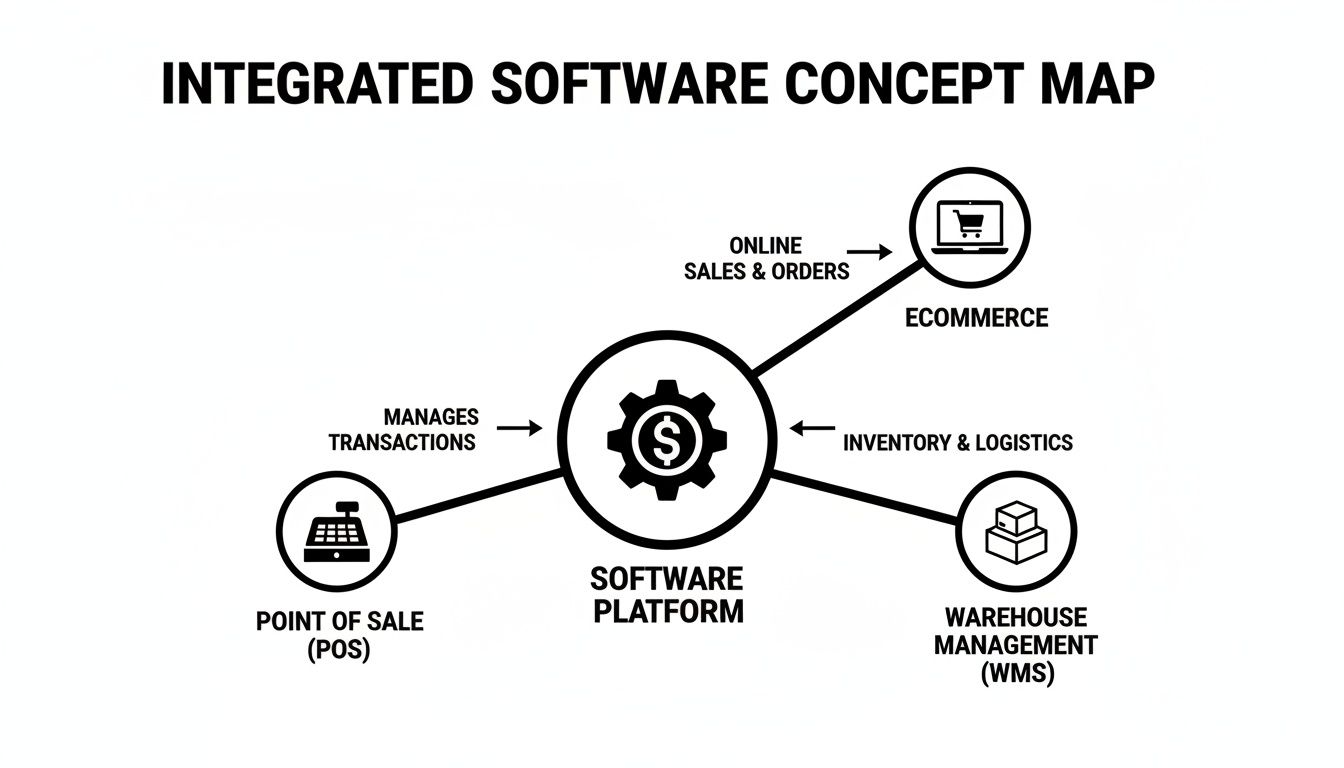
As you can see, all data flows through one central hub. This stops the information silos that lead to stock errors, unhappy customers, and lost sales.
The table below breaks down the operational differences you will experience.
Comparing Siloed Systems to Integrated Software
| Operational Area | Siloed Systems (e.g., Spreadsheets, Legacy POS) | Integrated Software |
|---|---|---|
| Data Accuracy | Prone to human error from manual entry across multiple systems. | High accuracy with real-time, automated updates from a single data source. |
| Stock Visibility | Incomplete and delayed view; stock levels are often outdated. | Complete, live visibility across all sales channels and locations. |
| Order Fulfillment | Cumbersome process; high risk of overselling or stockouts. | Streamlined and efficient; enables complex fulfillment like BOPIS. |
| Reporting | Time-consuming to compile data from different sources; reports are often inconsistent. | Instant, comprehensive reports based on unified, up-to-the-minute data. |
| Customer Experience | Inconsistent; customers may see an item online that’s out of stock in-store. | Seamless omnichannel experience; accurate stock info prevents disappointment. |
The difference is clear: an integrated system makes your operation smarter and more resilient.
The Shift From Niche Tool to Core System
This kind of software is no longer a “nice-to-have” utility. It has become a fundamental part of running a retail business, and the market reflects that. In 2020, the global inventory management software market was valued at around USD 1.57 billion, with projections to hit USD 2.87 billion by 2026.
Recent data shows even faster growth, with the market now expected to reach USD 4.18 billion by 2032, pushed forward by the demands of omnichannel retail.
This growth is a response to what customers now expect. Shoppers want to buy online and pick up in-store, or get same-day delivery. Trying to manage these services with separate systems is a recipe for disaster. An integrated platform makes it possible.
The job of an integrated system is to shift your business from reactive problem-solving (like apologizing for overselling) to proactive, data-informed decision-making (like reordering an item before it runs out).
Why Integration Matters for Growth
When you do not have a unified view of your stock, every business decision is a guess. You might overstock an item that is not selling online or run out of a bestseller at one of your physical locations without knowing it. These misses add up, hurting your cash flow and chipping away at customer satisfaction.
An integrated system gives you the clarity you need to take control. It helps businesses:
- Prevent overselling and stockouts across every channel.
- Automate reordering based on sales data, not guesswork.
- Keep product information consistent everywhere, both online and in-store.
- Improve the accuracy of your financial reports.
By connecting all the parts of your business, integrated inventory management software builds the foundation for efficient operations and sustainable growth. If you want to dig deeper into the basics, check out our complete guide on inventory management for more details.
Core Features That Unify Retail Operations
Integrated inventory management software is more than just a digital list of what you have in stock. The value happens when its core features start working together, connecting the parts of your retail business. These tools are built to solve the headaches that businesses face, turning scattered information into coordinated action.
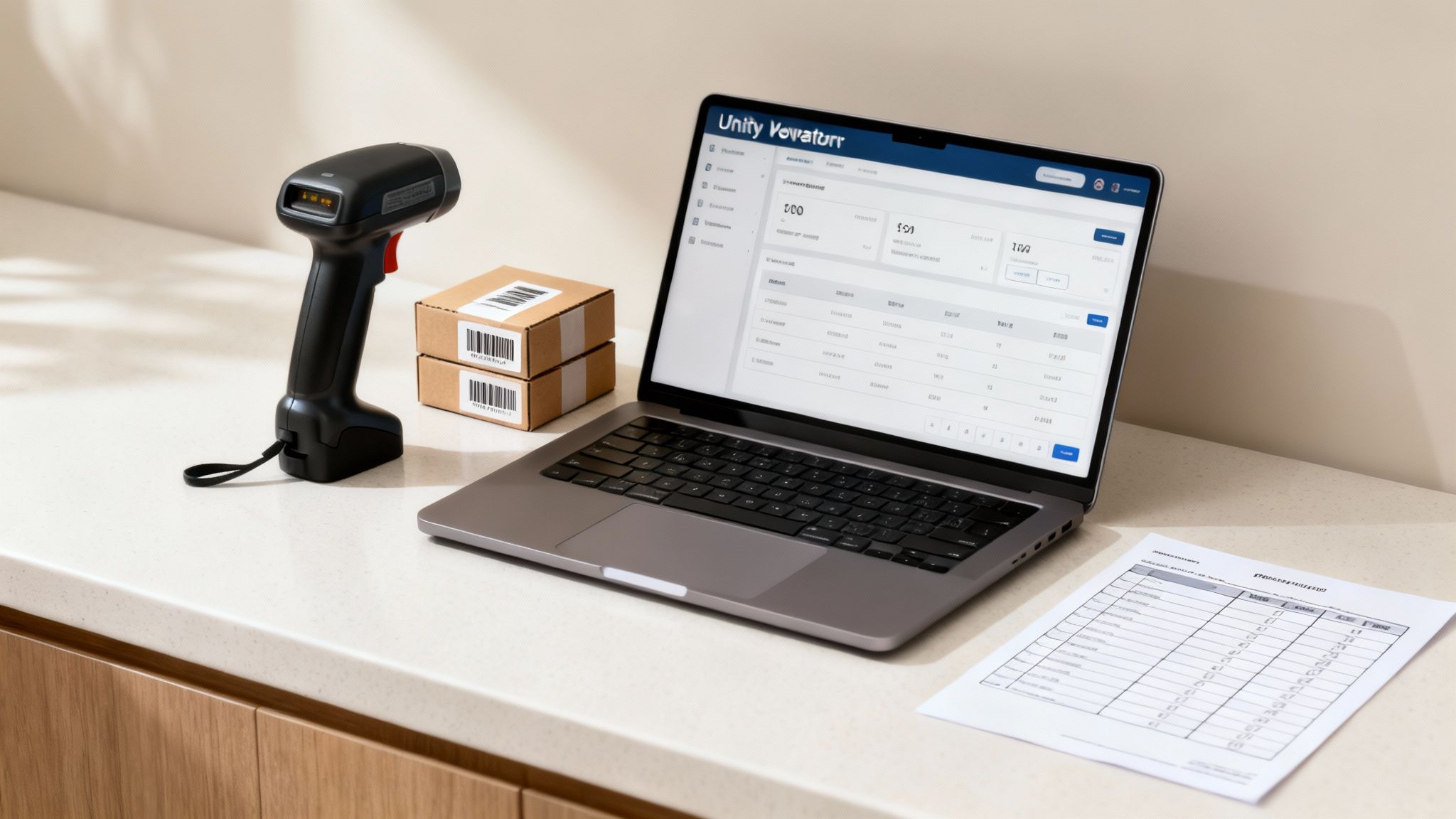
From stopping stockouts to speeding up the checkout line, each feature is designed to fix a specific pain point. Let’s break down how they work and what that means for your daily routine.
Real-Time Multi-Location Inventory Tracking
An integrated platform gives you a live, accurate picture of your inventory across every location. We’re talking physical stores, warehouses, and your online shop, all in sync. When an item sells in one store, the system updates the available count for everyone else.
This real-time sync puts an end to a retailer’s nightmare: “phantom inventory.” That is when your system says you have an item that is not on the shelf. For any business with more than one location, this is a game-changer. It means an online shopper cannot buy the last of something just as a customer is walking to the register with it in-store. It is a problem—studies show 58% of retailers have inventory accuracy below 80%. This feature is built to close that gap.
The bottom line? You can trust your data. Managers can transfer stock between stores with confidence, and your team can tell a customer an item is available and mean it.
Automated Purchase Order Generation
Guessing when to reorder is a cash drain. Order too much of a slow-seller, and your cash is tied up on the shelf. Order too little of a bestseller, and you hand sales to your competitors. Integrated inventory software takes the guesswork out of the equation by automating your purchase orders.
The system crunches your sales data and uses the reorder points you set to figure out when stock is running low. It then drafts a PO for your supplier, often waiting for a manager’s approval. For instance, if a pet store’s minimum stock for its top-selling dog food is 20 bags and sales data shows only 18 left, the software can trigger a new order on the spot.
This automation does two things:
- It protects your sales by making sure your popular items are always in stock.
- It optimizes your cash flow by preventing you from over-buying based on actual demand, not a hunch.
Purchasing shifts from a reactive chore to a proactive, data-driven strategy. The system tells you what to order based on what is selling, not what you think will sell.
Centralized Product Catalog Management
Trying to keep product information consistent across different platforms is a battle. One price online, another in the store. A different product description on your website versus your POS. A centralized catalog fixes this by creating a single source of truth for every item you sell.
A single, unified product catalog is the foundation of a consistent brand experience. It ensures a customer sees the same product name, price, and description whether they are shopping on your website, your mobile app, or standing in your store.
Any update—a price change, a tweaked description—is made once in the central system. That change then pushes out to all your POS terminals, your e-commerce site, and any other connected marketplaces. No more logging into five different systems to make the same update, which saves time and cuts down on human error. The result is a seamless customer experience and simpler operations for your team.
Barcode Scanning for Speed and Accuracy
Everyone knows what a barcode scanner is, but inside an integrated system, it becomes the key to efficiency. It is used at every stage of the inventory journey to make things faster and eliminate manual data entry mistakes.
At the checkout counter, a scan is faster than manually looking up an item, which keeps your lines moving. When a new shipment arrives, your team can scan the boxes to update inventory levels and check the delivery against the original PO. And for cycle counts or a physical inventory, scanning is quicker and more accurate than a clipboard and pen. This one feature directly boosts your labor efficiency and the integrity of your data, making every inventory task faster and more reliable.
The Business Impact of Accurate Inventory Data
It is one thing to talk about software features, but connecting them to business outcomes is where you see the value. The financial and operational return on an integrated system all boils down to one thing: having a single, reliable source of inventory data. Getting this right can transform how your business operates and grows.
When your data is trustworthy, every decision you make becomes sharper. You start making smarter purchases, which stops you from locking up capital in slow-moving items. And with a real-time view of your stock, you can say goodbye to the lost sales that come from unexpected stockouts, directly protecting your revenue.
This is a fundamental shift. You move beyond counting what is on the shelves and start making every piece of inventory work harder for your bottom line.
Driving Profitability with Key Metrics
Bringing in an integrated platform has a direct impact on the key performance indicators (KPIs) that measure the financial health of your business. These numbers paint a picture of your software’s ROI, turning raw data into measurable boosts in efficiency and profitability.
You will see immediate and lasting improvements in three areas:
- Reduced Inventory Carrying Costs: Holding onto extra stock is expensive. You’re paying for storage, insurance, and risking it becoming obsolete. An integrated system helps you optimize stock levels based on what is selling, slashing the cost of housing products that are gathering dust.
- Improved Stock Turn Rate: This metric shows how many times you sell and replace your inventory over a certain period. A higher turn rate is good news—it means your capital is not sitting idle on shelves, which improves your cash flow.
- Higher Profit Margins: Accurate data means fewer fire sales and deep markdowns to clear out old stock. It also cuts down on expensive, last-minute shipping to restock an empty shelf. This directly protects and even boosts the profit you make on every sale.
By keeping an eye on these numbers, you can track the financial impact of your integrated inventory management software. For a deeper look at the numbers that matter most, you can explore the top key performance indicators for the retail industry.
Turning Data Accuracy into Cash Flow
Let’s make this tangible. Picture a specialty retailer with three locations. It is a common story: one store is drowning in excess inventory of a certain product, while another cannot keep that same item in stock. Because they do not have a unified view, they end up over-purchasing “just in case” and losing sales from customers who walk away empty-handed.
This is a common problem. By 2024, integrated inventory management software became a go-to tool for businesses looking to tighten up margins by getting a grip on their stock levels. In fact, sloppy inventory can eat away at gross margins by several percentage points. For a closer look at these trends, you can learn more about inventory management software findings.
A single source of truth for inventory isn’t just an operational convenience; it’s a financial strategy. It converts dormant stock into active capital.
With an integrated system, that retailer now has a real-time, bird’s-eye view of everything. They can transfer stock between locations instead of placing redundant purchase orders. Automated reorder points, triggered by sales data, prevent them from being both overstocked and understocked.
The Financial Outcome
The results are direct and you can take them to the bank. The business manages to achieve a 2-3% reduction in its average inventory on hand across all stores. That might not sound like a large number, but it unlocks a significant amount of cash that was previously sitting on a shelf.
And the positive effects keep rolling in:
- Improved Cash Position: That freed-up capital can be put to work. It can fund marketing campaigns, store improvements, or an expansion of the product lines that are selling well.
- Fewer Lost Sales: With accurate stock levels, the retailer cuts down on out-of-stocks, capturing revenue that would have otherwise walked out the door.
- Increased Profitability: Fewer emergency rush orders and a lower need for clearance sales mean the business keeps more profit from every transaction.
For a mid-sized retailer, this kind of optimization can mean tens of thousands of dollars in improved cash flow and margins every year. It is an example of how accurate data from an integrated system directly strengthens a company’s financial foundation.
How Integrated Inventory Works for Specialty Retail
A generic piece of software can track stock levels, but specialty retail is a different ballgame. It throws unique curveballs that demand unique solutions. The measure of an integrated inventory management software is how well it handles the specific, real-world hurdles of your industry. A system built for a clothing boutique will fall flat for a business selling perishable goods or one that makes 90% of its revenue in three weeks.
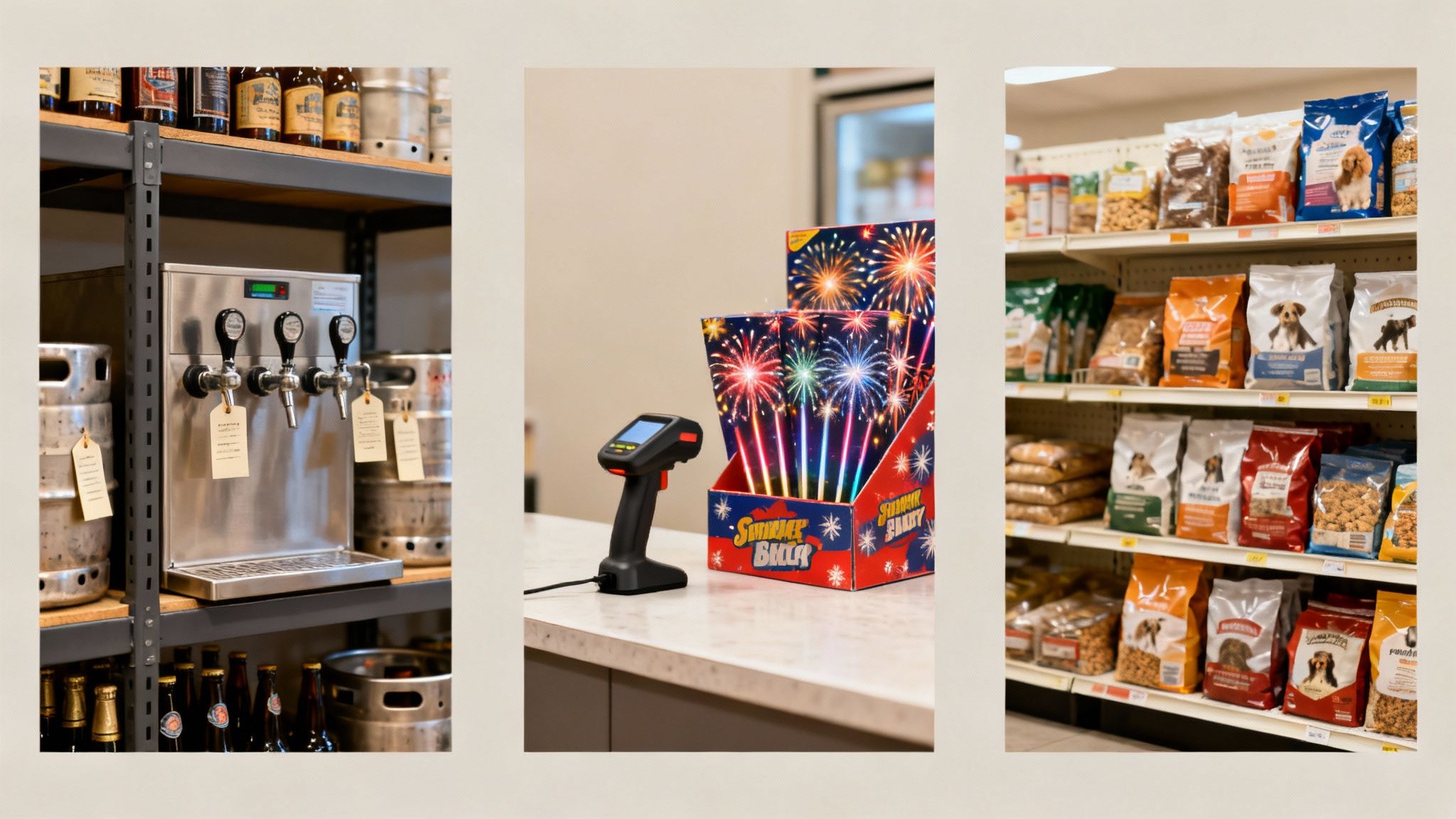
Let’s stop talking concepts and look at how this plays out on the ground. We will dive into four different retail worlds. Each one shows how a specific feature within an integrated platform solves a core business headache, turning a point of friction into a smooth operation.
Beer Distributors: Managing Package Sizes and Deposits
Beer distributors can sell multiple different package sizes with different pricing. Without a good inventory solution that has parent child relationships for products, managing inventory values is a nightmare.
Then there is the problem of keg deposits. Without a good system, trying to manually track which customer has which keg is a nightmare of sticky notes and spreadsheets. An integrated platform automates it.
- When a customer buys a keg, the POS automatically adds a refundable deposit to the sale.
- When the keg comes back, a scan prompts the correct deposit refund. No guesswork needed.
This workflow stops you from losing money on unreturned kegs and makes the process painless for your staff and your customers.
Fireworks Retailers: Handling Extreme Seasonal Spikes
The fireworks business is the definition of extreme. You might do the majority of your annual business in a few chaotic weeks. When the rush hits, speed and accuracy at the checkout counter are everything. A long line is a lost sale.
The solution is an integrated system with fast barcode scanning. Your clerks can fly through transactions without fumbling to find product codes, which means more customers served per hour. Crucially, the system deducts every sale from your inventory in real-time.
For a seasonal business, running out of your most popular items during that peak sales window is lost revenue you can never get back. Real-time data lets you spot hot-sellers and place emergency reorders before it’s too late.
This immediate flow of data is what empowers you to make buying decisions when the pressure is on. You know what is flying off the shelves and what is sitting cold, allowing for pivots in sales strategy or last-minute calls to suppliers.
Pet Stores: Navigating a Maze of Product Variations
Walk into any pet store, and you will see an ocean of product variations. A single brand of dog food might come in five bag sizes, three flavors, and separate formulas for puppies, adults, and seniors. Trying to track every one of those variations manually is a recipe for disaster, especially if you have more than one location.
This is a classic problem that integrated inventory management software solves with a feature often called a product matrix or grid. You create one main product (“Brand X Dog Food”), then generate all its variations underneath it. Each specific variation—like “Brand X Salmon & Rice, 30 lb bag”—gets its own unique SKU and inventory count.
Suddenly, chaos becomes clarity. A store manager can see in a second that they are almost out of the 30 lb bags but drowning in the 5 lb bags. This precision drives smarter ordering and makes it easy to transfer stock between stores, ensuring every location has the right product mix for its neighborhood.
SMBs: Making the Leap from Legacy Systems
Many small and medium-sized businesses get their start using basic tools like QuickBooks POS. And for a while, it works. But these older, on-premise systems eventually become a bottleneck, lacking the cloud connectivity and integrations needed to compete today. Moving to a modern, integrated platform is not just an upgrade; it is a step toward operational maturity.
A modern system brings your in-store and online sales channels together under one roof. For a retailer dreaming of launching an ecommerce site, this is non-negotiable. The software automatically syncs your product catalog, pricing, and inventory levels between your physical store and your website.
This single change unlocks new revenue streams without burying you in manual data entry. An online order pops up right in your POS system, ready for your team to fulfill. When that item sells online, the inventory count in your physical store updates instantly. It is a seamless move that simplifies daily work and sets your business up for whatever comes next.
The right software does not just manage inventory; it understands the rhythm and challenges of your business. As the examples above show, a feature that is a minor convenience for one retailer can be a game-changer for another.
Software Applications in Specialty Retail
This table breaks down how key software features directly address the distinct challenges faced by different retail verticals, leading to tangible business improvements.
| Retail Vertical | Primary Challenge | Key Integrated Feature | Business Outcome |
|---|---|---|---|
| Beer Distributor | Package Size Management | Multiple Package Size Relationships | More accurate inventory and knowing what you have in each package size. |
| Fireworks Retailer | Extreme seasonal sales spikes | Real-Time Inventory & Fast Scanning | Increased checkout speed, reduced lost sales, and smarter in-season purchasing decisions. |
| Pet Store | Massive inventory of products | Detailed inventory management | Simplified tracking, precise ordering, and optimized stock levels across locations. |
| SMB Retailer | Outgrowing a disconnected legacy POS | Unified Commerce Platform | Seamless integration of in-store and online sales, enabling ecommerce growth and automation. |
Ultimately, finding a system that aligns with your operational DNA is the key. When the software fits the workflow, not the other way around, you unlock new levels of efficiency and give yourself the tools to grow.
How to Choose the Right Inventory Software
Picking an integrated inventory management software is about more than a list of features. You are not just buying a tool; you are choosing a long-term partner for your business. Thinking through the process now ensures the platform you select today will still be the right fit as your business grows and changes.
Making the right choice from the start saves you from the headache and expense of switching systems again in a few years. It means looking past the sales pitch to the real-world factors: scalability, customer support, pricing, hardware, and how they will get you up and running. These are the things that determine what your investment is worth.
Can the Software Grow with Your Business?
Scalability is one of the first things you should be thinking about. A system that is perfect for a single shop with a handful of products will fall apart when you try to run a multi-location business with thousands of SKUs.
Think about your five-year plan. Are you planning to open new stores, jump into e-commerce, or bring in more complex product lines? Your software has to be able to handle that extra load without grinding to a halt. Ask potential vendors how their system handles growth. Look for platforms that let you turn on new features as you need them. This way, you only pay for what you are using now but have the power to expand when you are ready.
The goal is to invest in a platform that adapts to your success. A scalable system grows alongside your business, preventing the need for a costly and disruptive migration down the road.
Evaluating Customer Support and Onboarding
Even the most user-friendly software will have you scratching your head at some point. When a POS terminal dies during your weekend rush or you need a hand with a data import, the quality of customer support suddenly becomes the most important thing.
Before you sign any contracts, do some digging into a vendor’s support structure. Here is what to look for:
- Availability: Is support there for you during your business hours? If you are open on nights and weekends, they should be too.
- Accessibility: How quickly can you get a person on the phone or in a live chat? Or are you stuck submitting an email ticket and hoping for a response next week?
- Expertise: Is the support team employed by the company and knowledgeable about both the software and your industry? US-based support teams, for instance, often have a better grasp of the specific challenges businesses like yours face.
Just as important is a solid onboarding and training process. A provider that offers one-on-one training sessions makes sure your team knows the system inside and out from day one. That personal guidance cuts down on implementation mistakes and helps your staff get comfortable with the new tools faster, meaning you will see a return on your investment sooner.
Understanding Pricing and Hardware Compatibility
Software pricing can be confusing, and it is often designed to hide the true cost. You want to find a company with transparent pricing, free of fees for things like payment processing, essential integrations, or top-tier support. A modular pricing plan, where you pay only for the specific features you need, can be a cost-effective option for a growing business.
Hardware compatibility is another practical checkpoint. Your integrated inventory management software has to play nice with the equipment you rely on every day. We are talking about:
- Point of Sale (POS) terminals
- Barcode scanners
- Receipt printers
- Payment processors
Confirm that the software works with your current hardware. If you need to buy new equipment, make sure it is available and fits your budget. Taking this step can save you from unexpected costs and operational delays when it is time to go live. By weighing these factors—scalability, support, pricing, and hardware—you can pick a software partner that is set up to support your business for years to come.
Your Plan for a Smooth System Migration
Making the switch to a new integrated inventory management software is a big move for any business. To pull it off without a hitch, you need a game plan. This is not just about installing some new software; you are shifting how your business operates, moving all your critical data and daily workflows onto a new platform.
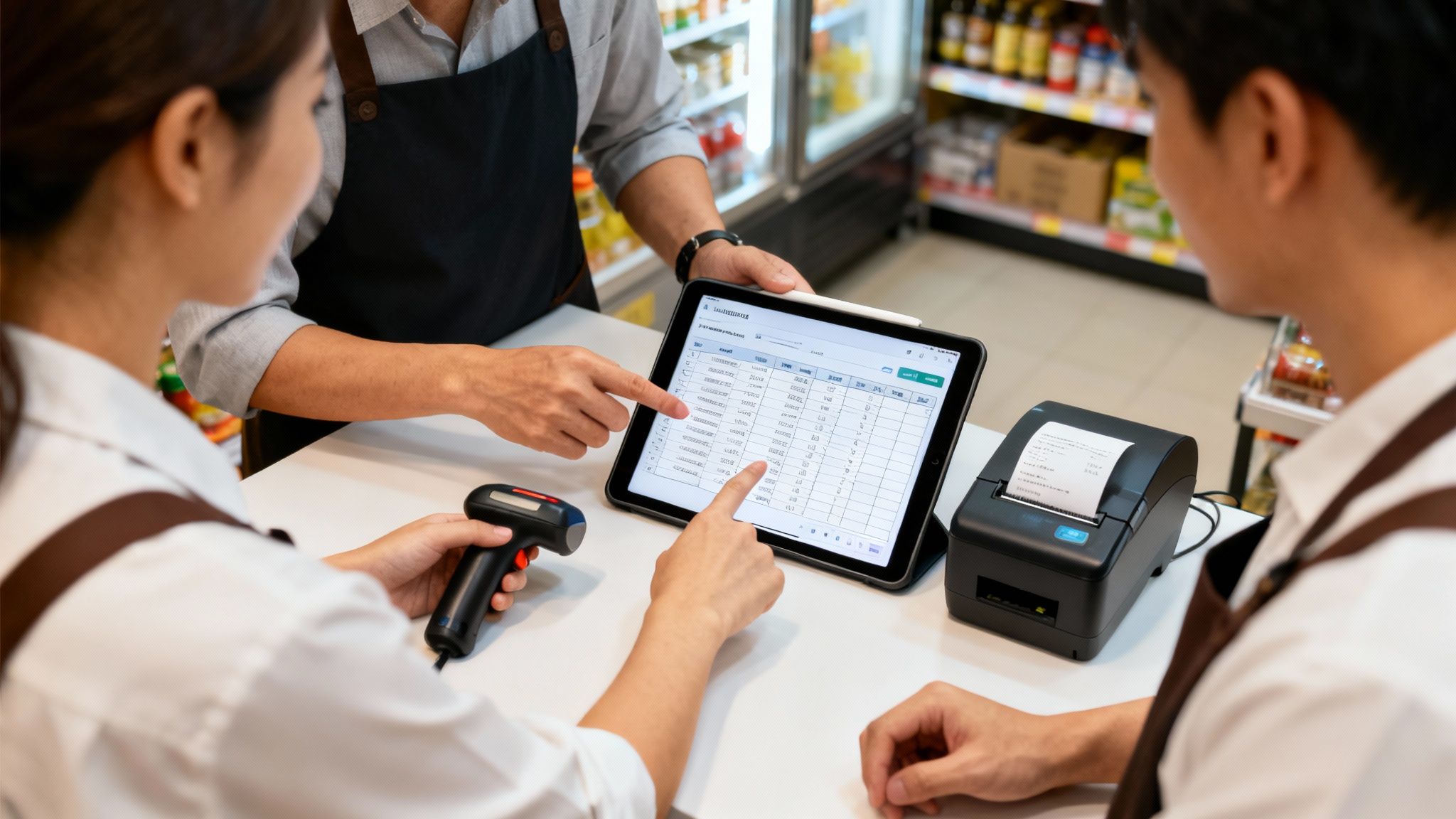
A successful migration comes down to doing your homework. It is a process built on a few key pillars: organizing your data, setting up the new software, installing the right hardware, and getting your staff up to speed. Each step builds on the last, giving you a path to your go-live day.
Preparing and Cleaning Your Data
Your existing data—all those customer lists, supplier contacts, and product catalogs—is the heart of your new system. The migration process is the opportunity to do some spring cleaning. You can get rid of all those old, inaccurate, or duplicate entries before they ever see the light of day in your new setup.
A clean data import is one of the most critical factors for a successful migration. Starting with accurate information prevents legacy problems from compromising the performance and reliability of your new software.
Before anything gets moved, you will need to get your files organized into a format the new system understands, which is usually a CSV file. This means mapping your old data fields to the new ones, making sure every piece of information lands where it is supposed to. For a more detailed look, you can find resources that walk you through the data import process and how to get it right.
Configuring the New Software
With your data prepped and ready, it is time to set up the software to fit your specific business rules. This is not a one-size-fits-all situation. You will need to dial in the operational parameters that make your business tick.
- Tax Settings: Get all your local, state, and federal tax rates configured to ensure every transaction at the point of sale is accurate and compliant.
- Promotions and Discounts: Set up the rules for all the good stuff—automatic discounts, loyalty programs, and any seasonal sales you run.
- User Permissions: Create different roles for your employees, deciding who gets to see what and which actions they can perform within the system.
This is how you tailor the integrated inventory management software to your company’s DNA. It guarantees that when you flip the switch, the system works just like you do. A good provider will have dedicated support to help walk you through these settings.
Planning Hardware Setup and Staff Training
The final pieces of the puzzle involve the hardware and the people who will be using it every day. You will need a plan for installing everything from POS terminals and barcode scanners to receipt printers. Pro tip: schedule this for after-hours so you do not interrupt sales.
At the same time, line up your staff training. A system is only as good as the team running it. Good, thorough training ensures your people feel confident with the new tools from day one, which makes a difference in how quickly they adopt the new system and how few errors pop up after launch. One-on-one sessions can be helpful, showing employees how the new software makes their daily tasks easier. That direct support is key to managing the change and getting everyone comfortable.
Got Questions? We’ve Got Answers.
Switching to a new inventory platform is a big step, and it is natural to have questions. Let’s tackle some of the most common ones we hear from business owners just like you.
How Long Does This Whole Thing Take to Set Up?
This is probably the number one question on everyone’s mind! While every business is different, a typical migration usually takes about four to eight weeks.
The timeline really depends on things like how complex your current data is, what kind of hardware you’re working with, and how many locations you have. Finding a provider who offers one-on-one training can speed things up and get you comfortable with the new system much faster.
Is My Business Data Actually Secure in the Cloud?
Absolutely. It is a common concern, but modern cloud-based systems are built with security in mind. Your data is encrypted and stored on secure servers that often have far more protection than a single server sitting in your back office.
Any reputable provider will also be fully compliant with payment processing standards, ensuring both your business and your customer’s sensitive information are locked down tight.
Can It Really Handle All My Locations at Once?
You bet. Juggling inventory across multiple locations is one of the main reasons businesses make the switch. This kind of software is designed to give you one single, unified view of your stock levels across every store and warehouse—all updated in real time.
This makes stock transfers a breeze and, more importantly, stops one store from accidentally selling the last of an item that’s already out of stock somewhere else.
An integrated platform ensures that whether a customer is shopping on your website or standing in one of your stores, they’re seeing the same accurate stock information. That consistency builds trust and prevents those dreaded fulfillment headaches.
Will This Software Work with the Hardware I Already Own?
That is a critical question to ask upfront. The good news is that most modern inventory software is designed to play nicely with standard POS hardware like barcode scanners, receipt printers, and payment terminals.
But you should always confirm this with any provider you’re considering. They can tell you for sure if your current gear is good to go or help you budget for any upgrades you might need. No one likes surprise expenses.