
A Smart choice for fireworks stores
Fireworks Store Point of Sale
Get all the features you need to manage your fireworks store with PyroModo.
Popular Features for Fireworks Stores
Why PyroModo
Retail and Wholesale
Package Types
Bar Code Management
Age Verification
Prompt for Package Size
Product Quick Add and Copy Product
Discounts
Online Cart
Hardware
Credit Cards

The POS Solution with a Bang
Designed for fireworks stores that demand the very best in a point of sale system, PyroModo POS delivers reliability on a whole new level. With software that helps you meet state compliance requirements, we’ve combined powerful retail and wholesale management into a single platform. Our innovative solutions are made to handle complex inventory, variable pricing, and detailed analytics so you can make smarter, more informed business decisions.
Personalized Support
Get to know our team on a first-name basis and enjoy attentive customer support with a personal touch. From sign up to installation, we’ll stand by your side through every step of the journey with US-based support and personalized training.

Two Needs, One Solution
Whether you’re ringing up walk-in customers buying fireworks for their backyard celebration or processing bulk orders for event planners and resellers, our system handles both retail and wholesale operations seamlessly. At the front counter, the POS is built for speed—your retail customers get fast, friendly checkout. Behind the scenes, that same system powers your wholesale business: customer accounts with custom pricing tiers, credit terms, and detailed invoice tracking keep your wholesale clients running smoothly.
To streamline wholesale order entry, you can add our back-office module—Cloud Orders—that lets you take phone or email orders without tying up your POS registers. This means someone in the office can build a large wholesale order for a tent operator or seasonal stand while your counter staff continues serving retail customers without interruption. No more stopping mid-checkout, no more toggling between a big distributor order and regular store traffic.
When a wholesale order is entered through Cloud Orders, inventory adjusts in real time—so your floor staff always sees accurate stock levels. Likewise, every retail sale instantly updates availability across the system. The unified backend gives you complete reporting and insights across both retail and wholesale, so you can see your full fireworks business at a glance.

Package Types
Sell and receive by the individual item, the pack, the case, or any variation you carry!
Products are set up in “package families”, that group all sizes of a product together and allows you to set parent/child relationships. This ensures that as you break up and sell different package sizes, your inventory stays accurate.

Multiple Bar Code Handling
If you have more than one item with the same bar code, you can share a barcode between items. When creating the order, the cashier will be prompted to select the product.
If you have the same item with multiple different bar codes, you can use the alias feature, so no matter what bar code you scan, the your item will come up.
Age Verification
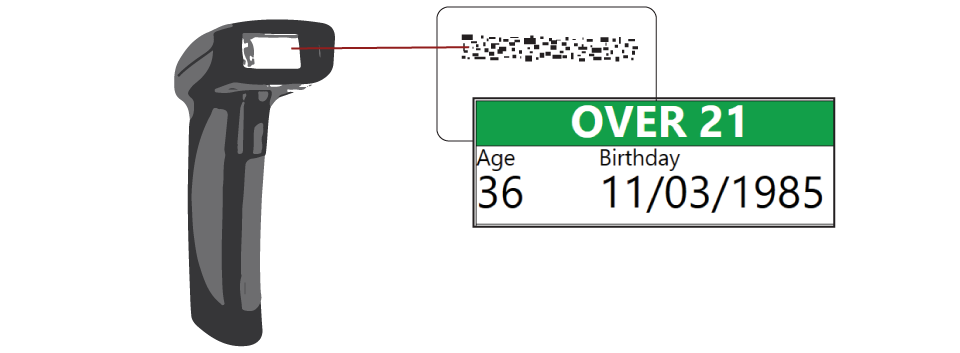
No extra equipment needed for age verification.
Scan 2D drivers license bar code to verify customer’s age at any time during a sale with the same scanner used for scanning bar codes on products. Record the scan to retain proof of checking IDs.

Prompt for Package Size
If there is only one bar code shared between 2 or more package sizes within a family, prompt for package size will ensure you sell the correct one.
PyroModo’s prompt for package size feature allows you to set up the family, so that if the bar code is scanned, the cashier will be prompted to select which size they are selling.

Product Quick Add and Copy Product
As new products come in, PyroModo allows for quick entry, providing a step by step wizard to create an entire family at once.
Use the copy product feature to copy an existing family and rename if you get something new that is similar to something you already carry!
Mix and Match
Create mix and match discounts that allow you to discount selected items when a specified quantity are purchased.
Quantity Per Item
Set up a Quantity Per Item discount to give the customer a discounted price when purchasing a specified amount of a single product.
Buy X Get Y
Give a number of items free or at a discounted price when buying a specified quantity of those items at regular price.
Volume Discounts
Set special pricing for different volume tiers when a customer purchases multiple of the same item.

Pomodo Cart for Online Shopping
Give your customers another reason to shop with you. Set up an online shopping cart that ties directly to your PyroModo solution. Pomodo Cart Features include:
- Take advantage of all of Pomodo’s advanced inventory features while fully integrating with your online stock
- Show multiple sizes available for 1 product
- Allow or hide quantities at the cart level
- Control the % of your inventory you want available online
- Show smaller package size quantities based on larger, breakable package sizes if using the Pomodo package family feature
- Manage customers and track purchase history
- Allow customer to select pick up date and time
- Direct credit card integration to avoid high gateway fees
- Set up cart specific price level
- Pull orders down to the Pomodo Cloud to manage all sales in one place
Hardware
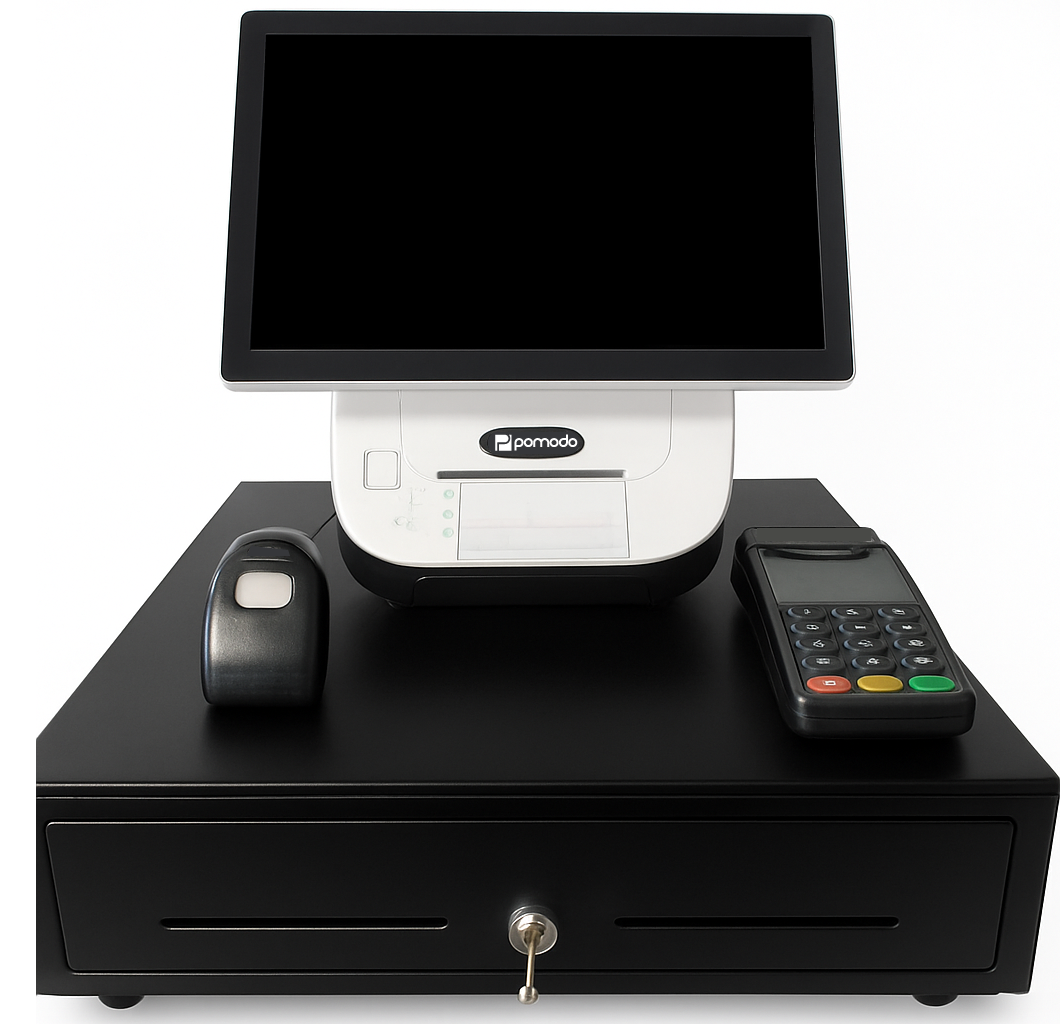
All hardware we provide comes with exceptional next-business-day replacement coverage.
Commercial-Grade Equipment
Get reliable, industry-tested hardware that’s fully warranted and backed by our support team.
Package Bundles
Select from pre-configured packages designed to match your specific fireworks retail or wholesale operation.
Build Your Own
Prefer a custom setup? Pick and choose individual components to create the exact configuration your business requires.
Bring Your Own Hardware
Want software only? You’re welcome to use your own compatible equipment—check our hardware compatibility guide for approved devices.
Consumables & Supplies
We stock paper rolls, ribbons, and other supplies for any hardware you purchase from us.
Pomodo’s Premier Protection (P3) Plan
Running a fireworks business is demanding enough. Your POS hardware shouldn’t add to the stress. With Pomodo’s Premier Protection Plan, stay focused on your customers and sales while we handle the technology behind the scenes.

Credit Card Processing Done Right
Integrated Processing
Still using a separate terminal? With Pomodo, credit cards are fully integrated with Point of Sale. This helps speed up the checkout process, and avoids human error and the need to reconcile every day.
One Stop Support
Pomodo is a certified agent for one of the world’s largest credit card processors. One call does it all from billing to tech support, we handle all of your credit card processing questions.
Competitive Rates
Being integrated to one of the world’s largest credit card processors, allows Pomodo to give you the most competitive rates. If you are already with another processor, we will do a detailed comparison based on your current statements.