
Trying to run a store where your cash register and your warehouse stock list are in two different buildings is a recipe for disaster. Every time you make a sale, someone has to run a note over to the warehouse to update the count. It sounds impractical, but that’s what happens when businesses use separate systems for sales and inventory. It’s slow, clunky, and prone to mistakes.
An inventory management POS software, on the other hand, acts as the central command center for your operation. It’s the brain that connects every transaction directly to your stock levels, making sure everything stays in sync. This isn’t just about convenience—it’s a shift in how you manage your assets.
Unifying Sales and Stock Control
When your sales and inventory systems don’t talk to each other, you’re flying blind. You might sell an item that’s out of stock, leading to a frustrated customer. Or, you could end up ordering more of a product that’s collecting dust on the shelves, which ties up cash you could be using to grow the business.
These manual processes are also a magnet for human error. A mistyped number during a stock count can create a ripple effect, leading to ordering decisions and financial reports that are not accurate. All that time spent trying to make the numbers match up is time you’re not spending on what matters.
An integrated system creates a single source of truth for your business. Every sale, every return, and every stock transfer is recorded in one place, giving you a clear, up-to-the-minute view of your business’s health.
How Integration Creates Efficiency
The benefit of an inventory management POS is that connection. It’s no wonder the global Point of Sale (POS) software market hit USD 21.1 billion in 2023 and is expected to soar to USD 74.7 billion by 2032. Retailers are demanding integrated systems that can handle real-time inventory tracking and manage multiple locations.
Cloud-based systems are at the heart of this shift, with the market projected to grow from USD 5.78 billion in 2022 to USD 23.61 billion by 2032. This trend shows a move toward flexible, always-synced solutions. You can find more details in these POS software statistics.
The POS system isn’t just a cash register; it’s the engine that drives your inventory updates and gives you the insights to make business decisions. The table below breaks down how these two sides of the coin work together.
Core Functions of Integrated POS and Inventory Systems
| Function | Point of Sale (POS) Role | Inventory Management Role |
|---|---|---|
| Sales Transaction | Processes customer payments and records the sale of each item. | Receives a signal from the POS to deduct the sold items from the stock count. |
| Returns & Exchanges | Manages customer returns, processing refunds or exchanges. | Adds returned items back into inventory or flags them as damaged. |
| Stock Lookup | Allows cashiers to check real-time stock availability across locations. | Provides the live data that the POS uses to confirm item availability. |
| Data Reporting | Gathers sales data to generate reports on revenue, best-sellers, and trends. | Provides stock level data, turnover rates, and reorder reports. |
By linking these core functions, you gain control over your operations. This unified approach lays the groundwork for a more efficient, profitable business, and it all starts with having the right features in place.
Core Features for Modern Retail Operations
An inventory management POS system isn’t just a cash register. Think of it as the central nervous system for your retail operation. It connects every sale, every shipment, and every stock adjustment into one cohesive, real-time picture. Instead of just processing payments, these tools automate the tedious tasks, freeing you and your team up to make decisions backed by data.
The right software ensures everyone is on the same page. When a customer buys something, that information doesn’t just stay at the front counter; it instantly updates your back office, your warehouse, and your website. It’s this flow of information that turns a chaotic jumble of moving parts into a well-oiled machine.
Real-Time Inventory Tracking
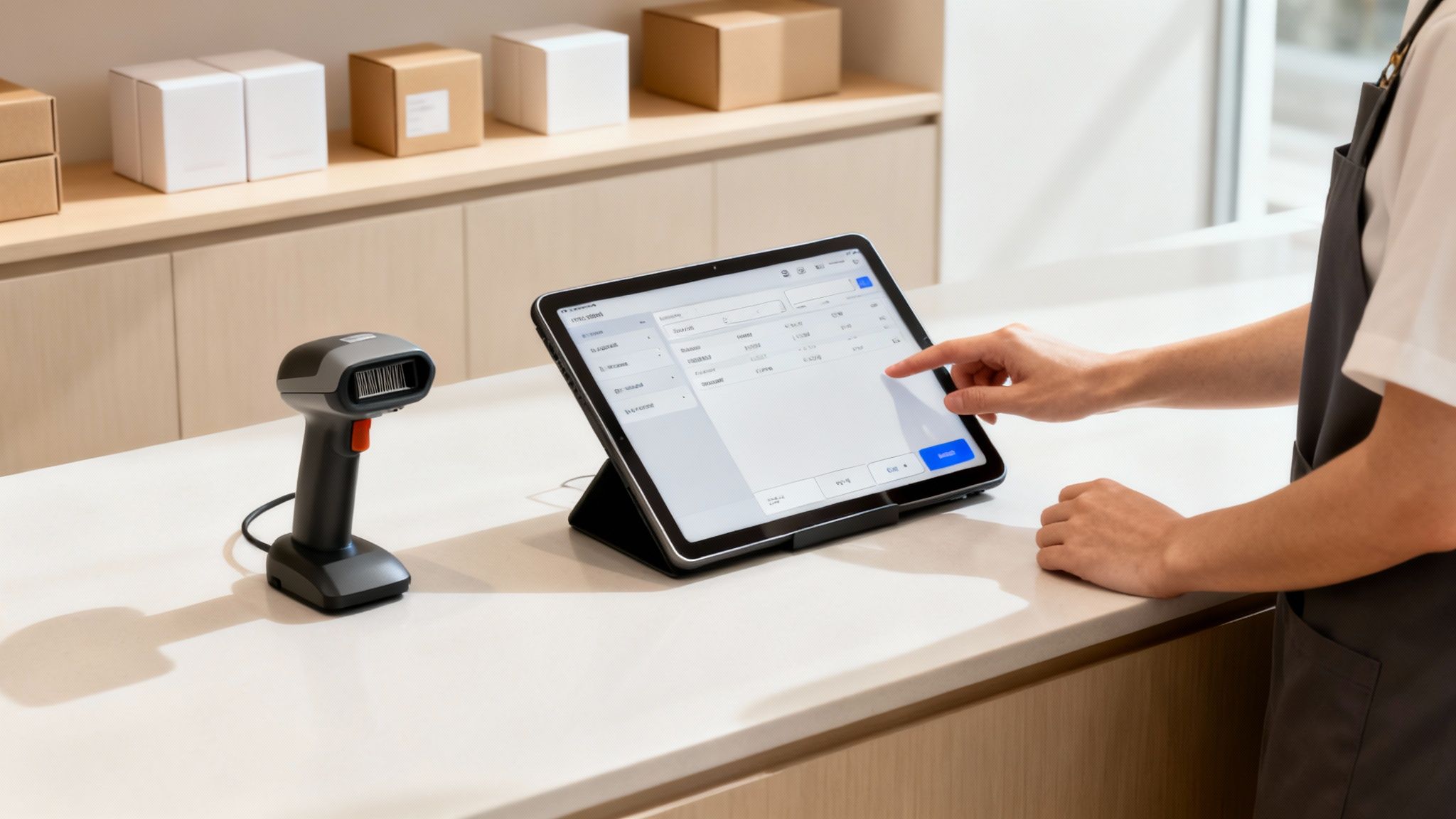
At its heart, the number one job of any inventory POS is real-time inventory tracking. The moment an item is sold, the system should automatically update your stock levels. This isn’t a “sync later” kind of thing—it’s immediate. This one feature is what prevents you from selling the same item twice, once in-store and once online.
Imagine your pet store sells a bag of specialty dog food. When that transaction is completed, the system deducts one unit from your total count. That data is now live and accurate for anyone who needs it, stopping you from disappointing an online shopper who tried to buy a product that just walked out the door.
This is the foundation of inventory control. It takes the guesswork out of what you have on hand, giving you a reliable source of truth to run your business.
Purchase Order Management
Keeping your shelves stocked shouldn’t be a frantic, last-minute scramble. Purchase order management brings order to the chaos by helping you create, send, and track orders to your suppliers. A capable POS will even flag when you’re running low on a popular seller, using your own sales data to suggest when and how much to reorder.
Let’s go back to that pet store. The software sees you’re almost out of a popular brand of cat litter. With a few clicks, the owner can generate a purchase order, email it directly to the vendor from the system, and keep an eye on its status until it arrives. No more stockouts on Saturday morning.
By automating your reordering process, you can run a leaner inventory. This keeps your cash from being tied up in products that are collecting dust in the stockroom.
This also slashes the risk of human error. No more ordering two cases instead of two single units or sending a duplicate PO. It brings a level of precision to your buying that’s nearly impossible to get right with spreadsheets and sticky notes.
Barcoding and Scanning
Nothing speeds up a retail operation like barcoding and scanning. It brings a boost in efficiency and accuracy to everything you do. At the checkout, it means fast, error-free transactions. In the back room, it makes receiving shipments, doing cycle counts, and moving stock a breeze.
Take a fireworks retailer, for example. Their business lives and dies by how many people they can serve during their short, intense selling season. Speed is everything. Scanning barcodes lets cashiers fly through long lines without fumbling with price lookups, which keeps customers happy and moving. Plus, that accuracy ensures your inventory and sales data stay clean, even when things get hectic.
How to Choose the Right Software for Your Business
Picking an inventory management POS software is a big decision. It’s not just about ringing up sales; it’s about choosing the central nervous system for your operation, from the front counter to the back stockroom. This system will be with you for years, so a thoughtful evaluation process is critical to make sure the platform you pick can handle today’s demands and scale with you tomorrow.
The first step is to look past the features and focus on the foundation. How does the software feel to use? Can a new hire learn it in an afternoon, or does it require weeks of training? A complicated interface will only slow down transactions, frustrating both your team and your customers.
Define Your Core Requirements
Before you watch a demo, sit down and make a list of your non-negotiables. Every business is unique—what works for the boutique down the street is probably a poor fit for your multi-location pet store. Your list should be a practical reflection of your daily operations and where you want to be in five years.
Here are a few areas to think through:
- Scalability: Will this software grow with you? You need a system that can handle more locations, an expanding product catalog, and a growing team without grinding to a halt.
- Ease of Use: A POS system should make your life easier, not harder. The interface has to be straightforward for everyone, from your newest cashier to your most experienced manager.
- Hardware Compatibility: Does the software play nice with the scanners, printers, and terminals you already own? Or will you be forced into buying a new set of equipment? Hidden hardware costs can blow up your budget.
The right software feels less like a tool you have to fight with and more like a partner in your business. It should make complex tasks feel simple and provide clear data to guide your decisions.
Evaluate Support and Service
Picture this: it’s your busiest day of the year, and your system goes down. You need help, and you need it now. The quality of a software provider’s customer support is just as important as any feature they offer. Find out their support hours—are they available when you’re open? Do they have an emergency line for system meltdowns?
A provider’s commitment to service often says a lot about the quality of their product. Dig into reviews, and don’t be afraid to ask direct questions about their onboarding process, training resources, and average response times. As you compare your options, remember that the customer experience is essential when choosing a software provider. A good support team means you’re never left alone to solve a technical problem.
Look Beyond the Subscription Price
That monthly or annual fee is just the tip of the iceberg. To get a sense of what you’ll be spending, you need to calculate the Total Cost of Ownership (TCO). This includes every expense tied to the software over its lifespan.
Key parts of the TCO include:
- Hardware Costs: New barcode scanners, receipt printers, cash drawers, and POS terminals can add up.
- Payment Processing Fees: These can vary between providers. Take a look at the fee structure to see how it will eat into your profit margins on every sale.
- Training and Implementation: Don’t forget to factor in the time and resources it will take to get your team comfortable and confident with the new system.
- Add-on Modules: Some “advanced” features, like detailed analytics or e-commerce integrations, might come with an extra price tag.
By calculating the TCO, you get a more realistic picture of your investment and avoid budget surprises down the road.
POS Software Evaluation Checklist
To make this process easier, use a checklist to compare providers side-by-side. This helps you move past the sales pitch and focus on what matters for your business.
| Requirement | Description | Pomodo Solution |
|---|---|---|
| Inventory Management | Can the system track stock levels in real-time across multiple locations? | Yes, with real-time, multi-location inventory syncing and low-stock alerts. |
| Ease of Use | Is the interface intuitive for new employees to learn quickly? | Yes, designed with a user-friendly interface to minimize training time. |
| Reporting & Analytics | Does it provide detailed sales reports and customer data? | Yes, offers robust reporting on sales trends, top products, and customer behavior. |
| Customer Support | Is reliable, human support available during business hours? | Yes, we offer dedicated, personalized support from a team that knows you. |
| Hardware Compatibility | Does it work with standard POS hardware (scanners, printers, etc.)? | Yes, compatible with a wide range of industry-standard hardware. |
| Payment Processing | Are the transaction fees competitive and transparent? | Yes, we provide clear, competitive payment processing options. |
| Scalability | Can the software grow with my business to multiple stores? | Yes, built to scale from a single storefront to a multi-location enterprise. |
| Industry-Specific Features | Does it offer features tailored to my niche (e.g., age verification)? | Yes, includes specialized workflows for verticals like beer, fireworks, and more. |
A structured approach like this ensures you’re making an informed decision based on long-term value, not just a low initial price. It helps clarify which inventory management POS software aligns with your business needs and financial plans.
Making a POS Work for Your Niche Business
Off-the-shelf retail software doesn’t cut it for specialized businesses. When you’re dealing with unique workflows, compliance rules, and specific product types, your inventory management POS has to be flexible. For niche retailers, this kind of adaptability isn’t just a nice-to-have; it’s essential for keeping operations smooth and staying on the right side of the law.
This is what turns a basic cash register into the command center of your business. Without it, you’re stuck patching things together with manual workarounds—a recipe for errors and wasted time. The right software should bend to fit your business, not the other way around.

Workflows for Beer Distributors
Running a beer distributorship means managing inventory that’s more complicated than just counting bottles. You’re juggling different package sizes, deposits, and a tangle of state regulations that a generic system would choke on. A POS built for your world handles these things from day one.
Take kegs, for example. You’re not just selling a product; you’re also managing a refundable deposit. The software needs to handle the initial sale, tie the deposit to a customer’s account, and then process the return when the empty keg comes back. It’s the only way to keep the books straight and avoid losing money on deposits.
Plus, beer inventory isn’t one-size-fits-all. A single brand could be sold as a single, a 6-pack, a 12-pack, or a case. A specialized POS understands these multi-level product relationships.
- Case Breaks: When you crack open a case to sell individual bottles, the system needs to automatically adjust the stock levels for both the case and the single units. No more guesswork.
- Deposit Tracking: It logs and tracks every deposit for kegs and other returnables, making refunds a breeze.
- Age Verification: A prompt at checkout ensures you’re compliant with legal drinking age laws, protecting your license and your business.
These features get rid of tedious manual tracking and give you a clear picture of your inventory. Want to dive deeper? Find out how to revolutionize your beer store operations with our innovative POS and inventory management software.
Solutions for Fireworks Retailers
The fireworks industry is all about pressure. Your entire year’s sales are crammed into a few weeks, which means checkout speed and inventory accuracy are everything. A clunky or slow POS can create long lines and lead to lost sales during your peak days.
A POS designed for the fireworks world is built for speed. Things like barcode scanning and touch screens help cashiers fly through orders, keeping the line moving and customers happy.
For a seasonal business, success is all about throughput. You need a POS that can handle a high number of transactions without lagging. It’s how you maximize revenue when the window of opportunity is small.
Compliance is another piece of the puzzle. Fireworks retailers have to navigate a minefield of strict local and state laws. The right software helps you manage these rules by tracking specific product types and making sure every sale is legal, saving you from the risk of fines or other penalties.
Integrating Your POS with Other Business Tools
Your inventory management POS software shouldn’t operate on an island. To get a grip on your business, it has to connect with the other tools you use every day—especially your ecommerce platform and accounting software. This connectivity turns separate pools of data into a single, reliable stream of information, saving you from the task of manual data entry.
When your POS acts as the central hub, every part of your operation starts working together. A sale made on your website updates your in-store stock levels, and daily revenue figures flow right into your financial records. This creates a level of operational clarity that’s almost impossible to achieve when your systems are siloed.
Connecting with Ecommerce Platforms
For any retailer running both a physical and an online store, ecommerce integration is non-negotiable. Without it, you’re waiting to sell an item online that you no longer have in stock—a way to frustrate a customer. A connected system makes sure your website and your brick-and-mortar shop are always pulling from the same inventory data.
When a customer buys something from your site, the integrated POS system automatically adjusts the stock count in real-time. This synchronization prevents overselling and keeps your product availability accurate across all channels. It’s a fundamental piece of the puzzle for providing a consistent customer experience. You can learn more about how this works with our guide on integrated inventory management software.
An integrated system acts as the single source of truth for your inventory. It guarantees that the stock level displayed on your website is the same as the stock level in your physical storeroom, preventing errors and keeping customers happy.
This data flow is a reason why inventory-focused POS software is growing so fast. Projections show it will command 49% of the global POS market share by 2025 as businesses increasingly rely on real-time data. The overall POS market, valued at USD 33.41 billion in 2024, is expected to grow to USD 110.22 billion by 2032, driven by this need to sync online and offline sales. If you’re interested in the numbers, you can learn more about POS market growth.
Streamlining Accounting Workflows
Connecting with your accounting software is just as critical. Manually exporting sales data from your POS and re-keying it into your accounting platform is not only a time-sink but also ripe for errors. A direct link between the two systems automates this entire process, saving hours of work and keeping your financial records accurate.
Think about a business moving from an older system like QuickBooks POS to a modern, cloud-based solution. The payoff from direct accounting integration becomes obvious almost immediately.
- Automated Data Transfer: Daily sales, taxes, and payment processing fees can be automatically synced to your accounting software. No more spreadsheets.
- Reduced Manual Errors: By taking human hands off the keyboard, you cut down on the typos and mistakes that can throw your books out of whack.
- Real-Time Financial View: With data flowing continuously, you get an up-to-the-minute look at your business’s financial health, not a picture that’s weeks old.
This kind of automation creates a more efficient back office, freeing up your time to focus on growing the business instead of getting bogged down in administrative muck. The right integration ensures your inventory, sales, and financial data are aligned, giving you a complete and accurate picture of your operation.
Got Questions About Inventory POS Software? We’ve Got Answers.
Making the jump to a new inventory POS system is a big deal for any business. It’s normal to have questions running through your mind, from what it takes to get started to how it works day-to-day. We’ll tackle some of the most common ones here to help clear things up before you make your decision.
Knowing what to expect with implementation, how different systems are set up, and what kind of training is involved can make the whole transition feel smoother. Our goal is to iron out any last-minute wrinkles and help you feel confident about bringing this technology into your business.
What Does the Implementation Process Actually Look Like?
Getting a new inventory POS system up and running isn’t an overnight flip of a switch. It’s a planned process, and any provider will walk you through it step-by-step to make sure you move from your old way of doing things to the new platform without a hitch.
The first big step is usually data migration. This is where we get your existing product lists, customer info, and supplier details out of your old system (or spreadsheets!) and into the new one. Getting this part right is crucial because it builds the foundation for your inventory and sales records.
Once the data is in place, we shift focus to hardware. This means getting all your gear connected and talking to the software, including your:
- Barcode scanners
- Receipt printers
- Cash drawers
- Payment terminals
Your provider should make sure every piece of equipment communicates with the POS. Sometimes this involves installing a driver or tweaking a few settings, but if your provider supports standard hardware, this part is usually straightforward.
The last stage is configuration and testing. This is where you get to customize the software to fit how you do business. You’ll set up your local tax rates, decide who on your team gets access to what, and organize your products into categories that make sense. Before you go live, you and your provider should ring up a few test sales to make sure everything works—sales are recorded, inventory counts drop, and receipts print correctly. This final check ensures you’re ready to rock from day one.
Is Cloud-Based Software Actually Secure?
Security is—and should be—a concern for any business owner, especially when your data is stored somewhere else. The good news is that cloud-based inventory management pos software almost always has security measures that are more robust than what a small business could manage on its own. These systems live in data centers with layers of both physical and digital protection.
A huge advantage of cloud-based systems is that security management is centralized. All the critical updates and security patches are applied automatically. This takes the pressure off you to maintain server security—which is a full-time job—and ensures you’re always protected from the latest threats without having to lift a finger.
On top of that, you control who sees what. You can set up user permissions so a cashier can only access the sales screen, while a manager can pull reports and adjust inventory. This kind of role-based access keeps anyone from making unauthorized changes and protects sensitive info internally. Reputable providers also have your back with data backups and disaster recovery plans, so your business information is safe even if something goes wrong on their end.
What Kind of Training Will My Staff Need?
Getting your team trained is one of the most important parts of a successful launch. While modern systems are built to be intuitive, training ensures your staff can hit the ground running and use the software effectively from the moment you go live. The training depends on the person’s role in your business.
For your cashiers, training is all about the core functions they’ll use every day. This usually covers:
- Ringing up sales with different payment types (cash, credit, gift cards)
- Processing returns and exchanges smoothly
- Applying discounts or promotions
- Looking up customer accounts
Most providers can get a new cashier comfortable with these tasks in just a couple of hours. The point is to make the checkout experience fast, friendly, and free of errors.
Managers and back-office staff will need a deeper dive. Their training will focus on the more powerful features of the inventory management POS software, like creating purchase orders, receiving new shipments, performing cycle counts, and analyzing sales reports. Because these tasks directly affect your bottom line and inventory accuracy, the training is more detailed. It’s often a mix of guided lessons and hands-on practice. A provider will offer one-on-one training to make sure your key people become experts on the platform. It’s an investment that pays for itself over and over in efficiency and fewer mistakes.